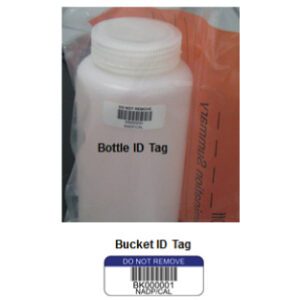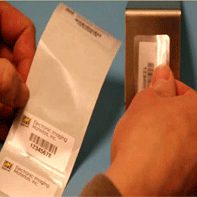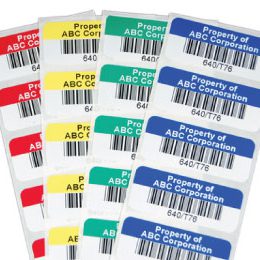
In a busy warehouse, it is easy to blame accuracy problems on people or systems. But if labels are hard to read, peeling off, or printing inconsistently, even the best pickers and the smartest warehouse management system (WMS) will struggle to keep up. Following warehouse label printing best practices ensures your labels are always readable, scannable, and built to last in even the toughest warehouse environments

Warehouse Label Printing Best Practices
This guide walks through the full warehouse label workflow, so your team can produce consistent, scannable labels without design or printing expertise. It shows how design, materials, printers, and deployment work together to streamline operations.
1. Warehouse Label Designs for Performance and Clarity
Good warehouse label printing starts long before you hit “Print.” It begins with warehouse label designs that make barcodes and key text easy to find and easy to scan. Keep layouts simple and predictable:
- Dark bars on a light background
- Ample white space
- Quiet zone around the barcode for clear scanner readability
- Human-readable text above or below in a clear, legible font readable at working distance
To keep designs reliable at scale, standardize them. Use the same basic pattern for all location labels, the same for pallet labels, and so on. A quick checklist:
- Make the barcode the primary element
- Avoid visual clutter
- Use only one or two font styles
- Keep graphics and branding out of the scan area
The goal is to make every label feel familiar, so workers instantly know where to look and what to scan.
2. Choosing Durable Labels, Materials, and Adhesives
Design is only half the equation; the other half is choosing truly durable labels that can survive warehouse realities. Start by mapping your environments, such as:
- Cold storage
- Ambient aisles
- Loading docks
- Outdoor yards
- Production areas
Each zone brings different temperature swings, moisture levels, abrasion, and chemical exposure, and your label materials and adhesives need to match those conditions instead of fighting them.
Surface matters just as much. Plastic totes, painted metal racks, and corrugated cartons all hold labels differently. Rough or dusty beams may need aggressive adhesive and better surface prep, while reusable containers might call for removable constructions or over-label strategies.
Whenever you can, test label samples on real surfaces and run them through your normal handling and cleaning routines. Short pilots help you confirm adhesion, readability, and life span for both short-term and long-term applications before you roll out across the building.
3. Thermal Printer Labels and Choosing the Right Printer
Most warehouses rely on thermal technology because it pairs speed with durability. Understanding how thermal printer labels work with your printers makes it much easier to keep print quality high.
- Direct thermal printing uses heat-sensitive media and is great for short-lived labels like shipping labels or staging tags.
- Thermal transfer printing uses a ribbon to transfer ink onto the label surface and is better suited for locations and identifiers that need to last for months or years under real wear and tear.
As you evaluate equipment for warehouse label printing, match printer models to your label widths, volumes, and environments. High volume operations with wide rack or pallet labels typically benefit from industrial printers that handle large rolls and continuous media, while lighter use cases may be fine with smaller units. Always confirm that the ribbon type matches your label material: wax for many papers, wax/resin or resin for synthetics in harsher conditions.
Build a simple maintenance plan that includes cleaning printheads and rollers, checking media paths, and replacing worn parts so print quality does not drift over time.
4. Barcode Label Printing Setup and Calibration
Even strong designs and materials can underperform if printers are not calibrated correctly, which is why careful barcode label printing setup is so important. Any time you change label size, construction, or core templates, run the printer’s calibration routine so it can accurately find each label’s start, gap, or black mark. Then print a small batch of test labels, check that the barcode sits centered and clear of any perforations, and confirm that human-readable text stays where it belongs.
Dial in print darkness and speed until bar edges look sharp and well defined rather than fuzzy or washed out. Too much heat can cause bars to bleed, while too little creates pale images that scanners struggle to read. Once you find a combination that works for your labels, scanners, and environment, document the settings and treat them as your baseline for warehouse label printing going forward.
Keeping the print path clean by wiping the printhead and rollers on a regular schedule prevents dust or adhesive buildup from slowly degrading quality and introducing avoidable scan failures.
5. Deploying Custom Warehouse Labels on the Floor
Deployment is where your planning turns into real-world behavior, and smart deployment makes custom warehouse labels much more effective. Always start with clean, dry surfaces; a few seconds spent wiping dust, moisture, or residue off a beam or bin will dramatically improve adhesion and lifespan. For racks and shelving, simple jigs or visual standards help ensure labels land at the same height and position in every aisle, so pickers always know exactly where to look.
As you roll labels out, train your team on placement rules and build quick scanning checks into installation. Scan each new rack, bin, or pallet label in its final position using the same handheld or truck-mounted devices your team uses during production. Catching visibility or scanning issues during deployment is far easier than discovering them when you are in the middle of a busy wave.
Over time, consistent placement and clear training turn your label system into a visual map that new and experienced employees can follow with confidence.
If you are wrestling with warehouse label printing issues, Electronic Imaging Materials can review your current setup and recommend practical changes that improve print quality, scan reliability, and uptime.
Common Warehouse Label Printing Pitfalls
Many recurring accuracy and productivity issues trace back to a few common mistakes in warehouse label printing, including:
- Misaligned barcodes near edges or perforations
- Curved surfaces causing intermittent scan failures
- Poor surface preparation (dust, oil, moisture) leading to peeling, curling, and manual workarounds
Another frequent pitfall is mismatched ribbon and media. If you see smudging, easy scratching, or fading under heat, it likely means the ribbon is not right for the facestock or the darkness setting is off. Skipping test prints after supply changes or failing to record known good print settings also creates inconsistency across shifts and printers.
Avoiding common warehouse labeling issues comes down to building routines, like:
- Testing whenever something changes
- Documenting what works
- Making label quality a standard, not an afterthought
How EIM Supports Warehouse Label Printing
You do not have to manage all of this complexity alone. Electronic Imaging Materials helps teams look at warehouse label printing as a complete workflow rather than a one-time purchase. The Label Experts can…
- Recommend materials and adhesives tailored to your mix of environments
- Help you choose label sizes that fit your racks, bins, and pallets
- Provide print-ready files that follow barcode and layout best practices
EIM also supports your printing infrastructure by advising on printer selection, compatible ribbons, and day-to-day setup questions. If in-house printing is the right fit, they can help you refine templates and calibration routines so labels come out clean and consistent. If it makes more sense to offload some of the work, EIM can supply pre-printed labels for key locations or applications, while still leaving room for on-demand printing where you need flexibility.
The goal is a label system that supports your warehouse’s growth instead of holding it back.
Get Help From The Label Experts
If you are seeing scan issues, peeling labels, or inconsistent print quality, it may be time to revisit how you handle warehouse label printing from end to end. Small improvements in design, materials, printer setup, and deployment can add up to fewer errors, faster training, and smoother daily operations.
Contact us to review your current labels, printers, and workflows. The Label Experts can help you identify practical changes that strengthen label performance and make your warehouse labeling process more reliable, shift after shift.