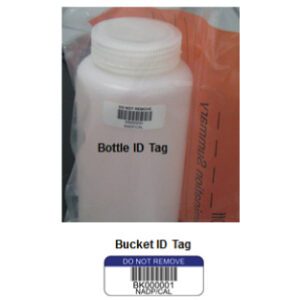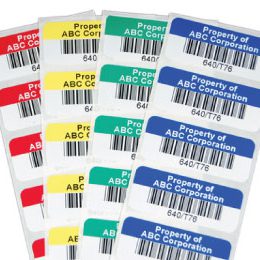
Everyone talks about robotics, AS/RS, and advanced WMS logic. Fewer teams talk about the foundation that makes all of that work: the labels on racks, totes, pallets, and products.
From real-time scanning to autonomous mobile robots, automation runs on data, and that data starts at the physical layer. When labels are designed, placed, and maintained with automation in mind, your systems can move goods, capture events, and update inventory with far less friction. This article looks at why the smartest warehouses are investing in labeling as a core automation asset instead of a simple consumable.
Why Labels Are Central to Warehouse Automation
In an automated warehouse, labels are the connective tissue between the physical world and every system that runs it, which is why warehouse labels belong at the center of any automation plan rather than at the end of a project checklist. They give robots, scanners, and WMS a shared way to identify products and locations in real time, so tasks like routing, picking, put-away, and cycle counting all start from the same source of truth. When that foundation is strong, automation has reliable data to work with; when it is weak, even the best technology ends up fighting bad inputs from the floor.

Data Entry at the Physical Layer
Every time a barcode is scanned, a workflow is triggered. A location is confirmed, a tote is picked up, a carton is routed, or an exception is raised. That trigger usually starts with warehouse labels that translate a physical object into a digital identity. Labels sit at the edge of your infrastructure. They bridge the gap between pallets, racks, and cartons on the floor and records in WMS, ERP, and shipping systems. Without reliable, readable symbols at that edge, your automation stack has to work harder to identify what is where, and your team spends more time correcting gaps that start at the label level.
The First Point of Error or Accuracy
The first point of contact for most automation events is a scan. If the label is low contrast, poorly placed, damaged, or misaligned, that scan fails or returns the wrong result. Everything downstream inherits that error. Orders are misrouted, inventory counts drift, and exception queues grow.
On the other hand, when labels are designed around scanner and robot capabilities, they become a stabilizing force. They help ensure that what the system thinks is happening matches what is happening on the floor. In that sense, label quality directly influences how much you can trust your automated workflows.
How Warehouse Labeling Systems Power Key Technologies
Modern warehouse labeling systems are not just collections of stickers. They are structured data carriers that feed multiple technologies at once, from simple handheld devices to complex, vision guided robotics. When labeling, printing, and placement follow consistent standards, every system in the building benefits.
Designing Barcode Labels for Warehouse Scanning Performance
Barcode scanning still handles a large share of automated transactions. Fixed mount scanners on conveyors and sorters read labels at speed, while handheld and vehicle mounted devices confirm picks and put-aways. In both cases, barcode labels for warehouse use must be designed for scan paths, distances, lighting, and motion.
Factors like bar height, quiet zones, print contrast, and orientation affect how reliably scanners can decode information. In high speed environments, even small improvements in read rate can translate into fewer recirculations, fewer no-reads, and smoother routing. That is why many automation projects include a label design review as part of their commissioning checklist.
Vision-Guided Robotics and AMRs
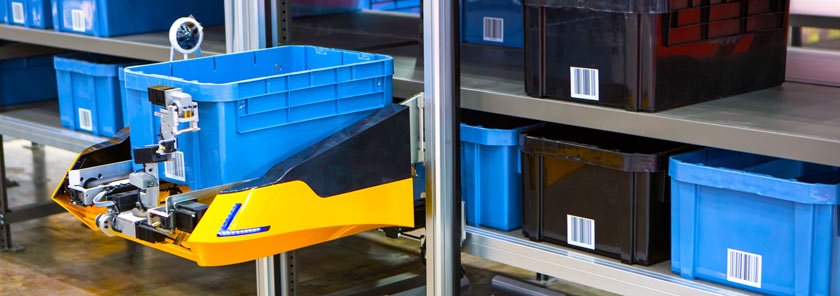
Autonomous mobile robots and other vision guided systems rely on more than just navigation maps. Many use labels as visual anchors, task cues, or validation points. Durable machine readable symbols on racks, totes, or floor markers help robots confirm location, align with pick faces, and trigger workflows as they move.
Placement becomes a design issue. If a robot needs to see a tag from a consistent angle or height, the label has to be placed where sensors and cameras can reliably detect it. Labels that curl, fade, or get covered by product can interrupt that feedback loop and cause unnecessary stops or manual interventions. Well executed labeling supports the repeatability that automation requires.
WMS and Real-Time Tracking
Automation only delivers its full value when systems share an accurate view of what is happening. Labels give WMS and real-time tracking tools the anchor points they need to follow inventory across receiving, storage, picking, packing, and shipping. When labels are applied consistently and encoded correctly, each scan updates a clean history of movement and location.
That same data can feed analytics tools, labor planning, and exception reporting. As long as the physical label matches the digital record, your automation stack can orchestrate tasks, direct workers, and synchronize updates across WMS, ERP, transportation, and customer facing systems without constant reconciliation.
If you are planning new automation or tuning existing systems, a fresh look at your labeling standards can be one of the quickest ways to improve stability and data quality.
Ready to future-proof your labeling system for automation? Electronic Imaging Materials can help you evaluate your current setup and identify adjustments that better support scanners, robots, and WMS workflows.
Common Labeling Gaps That Undermine Automation
Even advanced facilities run into avoidable problems when labeling does not keep up with automation. Some of the most frequent gaps show up in print quality, material selection, and data structure.
Low contrast printing or fading under warehouse conditions can reduce scan rates over time. Labels exposed to cleaning chemicals, UV, or constant handling may lose readability if they are not printed on the right materials. Adhesion is another weak point. Labels that do not bond well to racks, totes, or pallets peel at the edges, get torn, or drop off completely, leaving “invisible” locations that systems still expect to exist.
Inconsistent data formatting or layout creates confusion for both humans and machines. If one area uses one code format and another uses something different, scanners and software may treat them as separate data types even when they refer to similar assets. Misalignment between the data on the label and the structure in WMS is just as disruptive. If a label shows one location code and the system expects another, automated workflows stall until someone intervenes.
What Automation-Ready Labeling Looks Like
Automation readiness is not about a single label product. It is about the way your labeling standards, materials, and data structures line up with the technologies you have and the ones you plan to add.
Durability and Readability
Automation-ready labels need to survive the same conditions as your equipment. That means using durable labels that match the surfaces, temperatures, and handling patterns in each part of the building. For standard ambient storage, durable synthetics or well protected papers might be enough. For cold environments, cold storage labels with adhesives rated for low application and service temperatures help prevent curling and drop-off on frosty beams and totes.
Smart Label Design
Automation-ready design looks a lot like standard good practice, but it is more deliberate. Smart labels use print clarity, orientation, and contrast that align with how equipment will encounter them. For example, labels intended for side mounted conveyor scanners might prioritize horizontal orientation and larger bar heights, while labels for high bay locations may use larger human readable text and codes sized for long-range scanning.
Design choices such as including check digits, using consistent field order, and standardizing symbologies across the building all contribute to cleaner automation. When every label uses the same logic, templates are easier to maintain and software integrations are simpler to manage.
System Compatibility
Labels also need to match the data expectations of your automation software. That includes field lengths, character sets, and barcode symbologies that your WMS, robotics middleware, and scanning tools support. Encoding the right combination of identifiers on each label makes it easier to route events, build rules, and feed analytics.
Well-structured warehouse labeling systems treat each label as part of a larger schema. Location labels, license plate labels, and carton IDs all follow patterns that your systems recognize. That reduces the need for custom handling rules and lets you plug new devices or automation tools into a stable data layer.
Labels Are Infrastructure for Automated Warehouses
Automation projects often start with big equipment decisions. Over time, many teams realize that something smaller and quieter is shaping performance: the labels that feed data into every scan, route, and task. When warehouse labels are treated as infrastructure, not consumables, they help every other investment work better.
Smart warehouses invest in design standards that support scanners, robots, and WMS logic, choose materials that hold up in real conditions, and keep data structures consistent across the facility. This combination reduces friction for both people and machines and helps automation reach its intended ROI instead of stalling on preventable errors.
Electronic Imaging Materials helps operations teams build that foundation, from material selection and print specs to layout standards and compatibility with automation tools. Whether you are just starting on your automation roadmap or expanding existing systems, aligning your labeling with your technology stack is one of the most practical steps you can take.
Want to assess where labeling improvements will have the biggest impact? > Request a free consultation today.